 Plyveo
Plyveo, your interview coach, all in one place
Real questions, answers in your own words, honest feedback that shows how to improve and readiness based on answers already evaluated.


Guided practice ›
One prompt at a time, answers written the way you'd say them.
Feedback ›
Clear criteria, up to three strengths and up to three areas to improve.
Simulations ›
Real interview pressure, on the clock, before interview day.
Train for the interview you're actually facing
Forty tests across ten categories: three standard tests and one timed simulation in each. In Italian and English.
Tech & engineering
From system design to "tell me about a hard bug".
Product & data
Metrics, trade-offs, decisions defended well.
Leadership & teams
Conflict, priorities and behavioral questions.
Sales, marketing & more
Design, finance, operations, first job.
From choosing a test to feedback, one step at a time
Pick your test
Ten areas, forty tests: grab the one for the interview ahead of you, at your level.
Answer in your own words
Type or dictate, the way you'd actually say it. Drafts save themselves, even if you close the app.
Feedback and next step
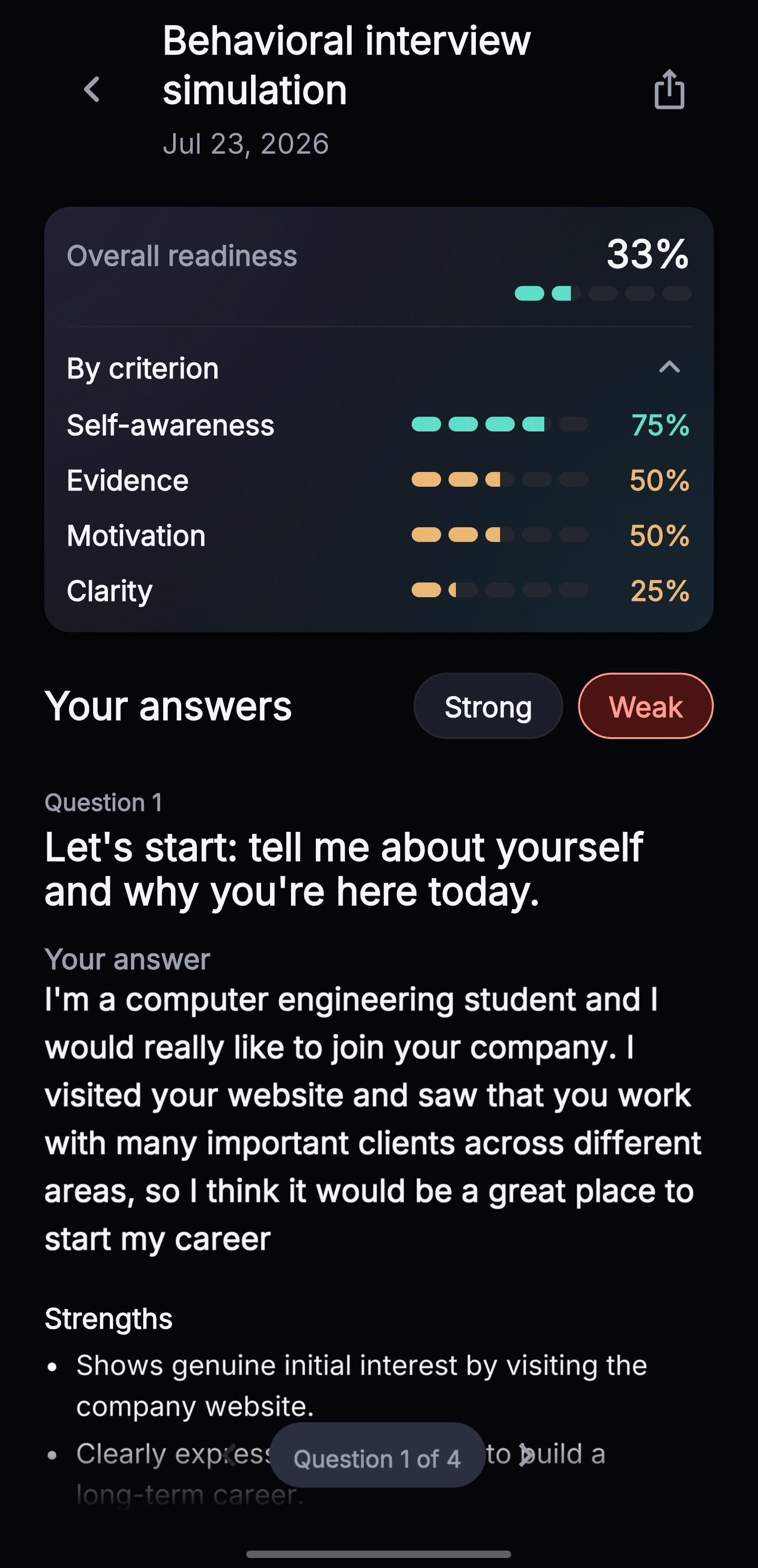
Clear criteria, up to three strengths and up to three areas to improve. Readiness updates with your evaluations and can rise or fall between sessions.
Preparing with random guides and rehearsing in the mirror? No, thanks.
Plyveo puts you in the real situation: a question, your answer, honest feedback. Everything you need, nothing that distracts.
Answer in your own words
No multiple-choice questions: write (or dictate) the answer the way you'd say it in the room.
Feedback that doesn't flatter
Explicit criteria, up to three strengths and up to three areas to improve.
Readiness
Readiness updates with your evaluations and can rise or fall between sessions.
What's it like inside?
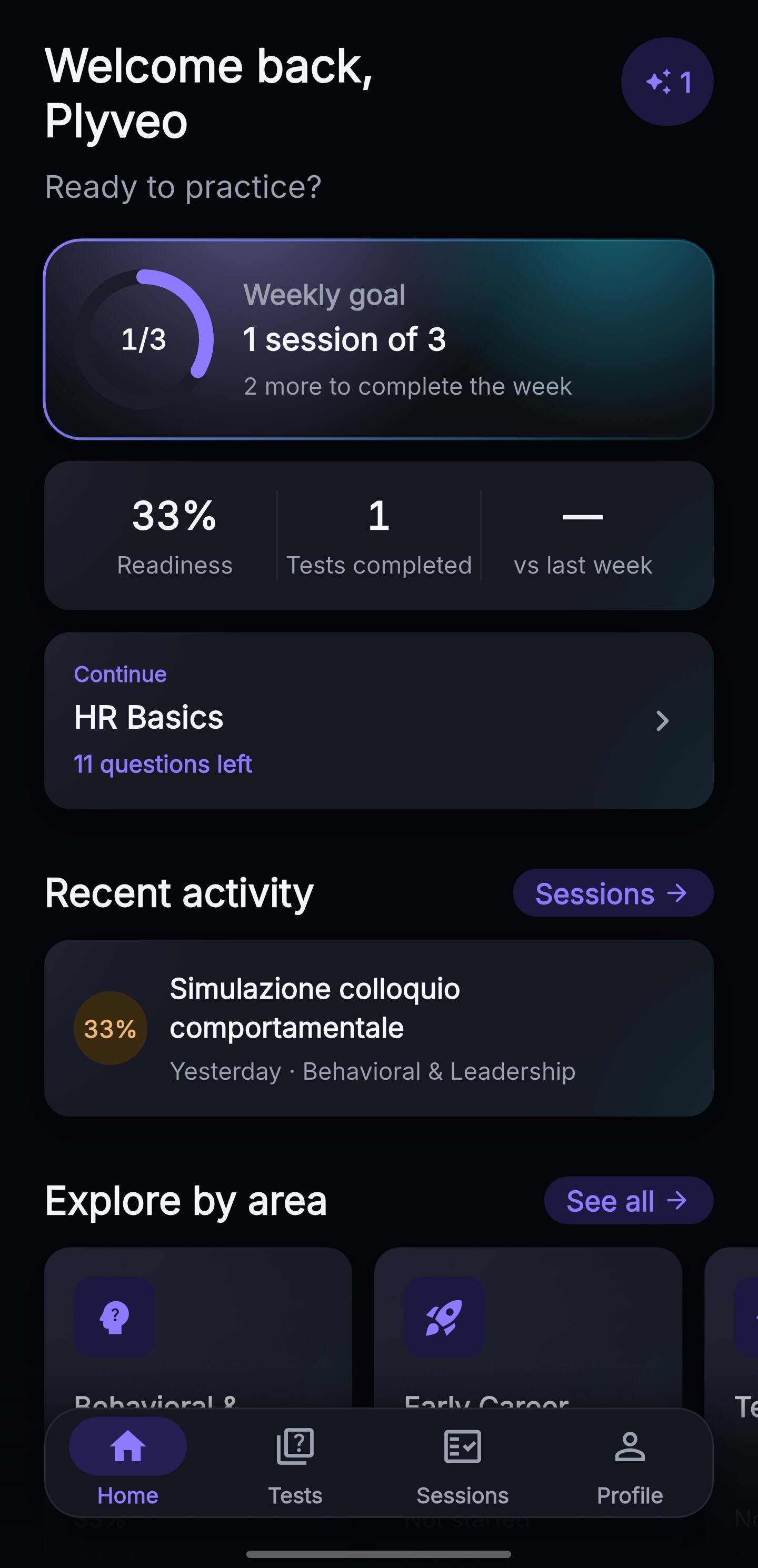
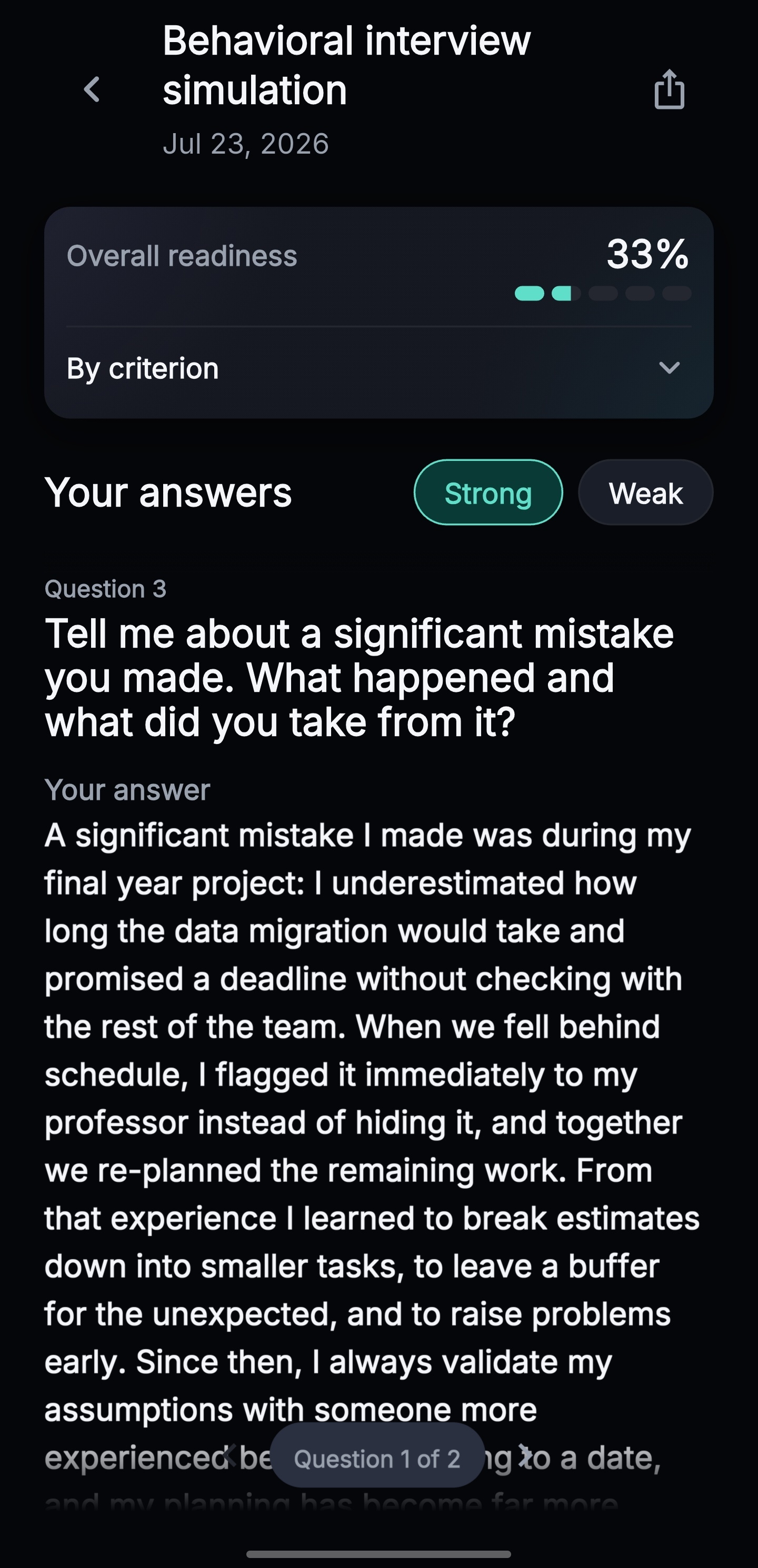
Like this. A calm interface, zero distractions, your progress always in sight.
Everything that's there, no fluff
If you're wondering "but does Plyveo also…?", the answer is probably yes.
- 40 tests, 10 professional areas
- Timed simulations
- Feedback on every answer
- Per-criterion readiness
- Typed or dictated answers
- Drafts saved automatically
- English and Italian
- Search and filter tests
- Session history
- Shareable scorecards
- Practice reminders
- Backup and data export
- Sign in with Google; Apple on iOS
- Drafts stored locally, with system backup when configured
- No hidden scoring, ever
- Planned free allowance: 3 new sessions


And then there's Orb.
Orb welcomes you, reads every answer and gives you honest feedback with kindness. Orb never judges you — only your answer. That's different, and you can feel it.
Three things we don't do
Marketing usually lists what it does. We care just as much about what we don't.
We don't train AI on your answers
Your answers are used to produce feedback, not to train AI models. Plyveo does not use this content to train AI models and, under the Vertex AI terms, Google does not use customer data to train or fine-tune AI/ML models without Plyveo’s prior permission or instruction.
Evaluation and Analytics stay separate
This content — the answer, question, rubrics and model answer — is sent to Plyveo’s backend and AI provider for evaluation; it is not included in Analytics.
We don't track you on this site
The website code does not integrate analytics or pixels — we even serve the fonts ourselves. We do not save preferences or other data in your browser.
What you'd actually ask
How much does it cost?
You can explore the entire catalog. The free allowance covers 3 new test sessions: a credit is used on the first successful AI evaluation, and other answers in the same session do not use another one, up to the limit of 50 successful evaluations per session. Once the allowance is used, the app explains that no new session can be started; Plyveo Pro, with expanded AI access, is not yet available.
Where do my answers go?
Drafts are stored locally in the app’s private storage and may be included in operating-system backup (Android Auto Backup or iCloud Backup) when configured. When you request an evaluation, the answer, question, rubrics and model answer needed for scoring are sent to Plyveo’s backend and AI provider; this content is not included in Analytics. See the App Privacy Policy for details.
Can I practice in English?
Yes. Tests are available in English and Italian: choose your language and practice in it, feedback included.
Do I need a connection?
A connection is required for a new social sign-in and for AI evaluation. Once signed in, while offline you can browse the local catalog, review history on the device, and write or save drafts; without feedback you cannot move forward.
Does it guarantee I'll pass?
No — and beware of anyone who promises that. Plyveo helps you arrive prepared and tells you what to work on; the outcome is still yours.
Your next interview is much easier when you arrive prepared
Plyveo is available on the App Store and Google Play. Every test shows its questions and estimated duration before you start.
Plyveo is a preparation tool: it helps you practice and track your progress — it doesn't guarantee the outcome of any interview. Service intended for adults (18+).